Platform Consolidation, Productivity
Stephen Karaolis
|
Are you struggling with an intranet that doesn’t quite hit the mark? You’re in the right place. This straightforward guide will walk you through the best practices for intranet design, ensuring your digital workplace is not just functional but a hub of engagement and productivity.
Key Takeaways
Clarity, Simplicity, and User-Centric Design: The intranet homepage should prioritize clarity and simplicity, featuring key resources prominently and engaging visual elements to foster a positive user experience and encourage adoption.
Mobile-Friendly Design: Creating a mobile-friendly and responsive intranet design is critical in today’s work environment to enhance accessibility, connectivity, and productivity, catering to the increasing use of mobile devices.
Personalization: Personalizing the intranet using AI-driven content recommendations and tailoring experiences based on employee roles and preferences can significantly increase engagement, efficiency, and overall satisfaction with the platform.
Crafting a User-Centric Intranet Homepage
A successful intranet design begins with a user-centric homepage. This is where clarity and simplicity, prominently featured key resources, and engaging visual design come into play. Focusing on these elements can result in a visually appealing intranet homepage that addresses the needs of users, promoting a positive experience and encouraging adoption.
Prioritize Clarity and Simplicity
A cluttered intranet homepage can be overwhelming, ultimately determining whether users stay engaged or quickly lose interest. A user-friendly interface simplifies the search for essential tools and resources, increasing productivity and making the intranet more accessible.
Incorporating a minimalist design is especially important for modern intranet platforms, ensuring glances and fast page loads on various devices. Providing users with tutorials and step-by-step guides can further support effective intranet use, making the platform future-proof.
Feature Key Resources Prominently
Displaying essential tools and resources prominently on the intranet homepage is crucial for improving employee focus and access to information. Including important company resources, such as employee handbooks, key business metrics, and company news, ensures that employees can easily find what they need to perform their tasks efficiently.
Featuring these resources streamlines the user experience, aligning employees with company goals and reducing time wasted on searching for vital information. This approach not only improves productivity but also keeps the intranet content relevant and engaging.
Incorporate Engaging Visual Design
Engaging visual design plays a pivotal role in making the intranet homepage inviting and user-friendly. Personalizing and branding the intranet helps employees feel more connected to the company culture, encouraging participation and making the platform a central part of their daily work life.
Incorporating multimedia elements like videos and images can significantly increase employee engagement. These visual elements make the intranet more appealing and can convey information more dynamically and memorably. Rounded shapes and warm design elements can also make the intranet feel psychologically safer and more inviting.
Ensuring Your Intranet Platform is Mobile-Friendly
As remote work and mobile device usage continue to rise, ensuring your intranet platform is mobile-friendly is more important than ever. A mobile-optimized intranet enhances accessibility, operational efficiency, connectivity, and productivity, allowing employees to stay connected and productive from anywhere.
Responsive Layouts for Various Devices
A responsive intranet design is critical to accommodate the wide array of devices used by employees, such as smartphones, tablets, and laptops. Adapting the intranet seamlessly to different screen sizes offers a consistent and user-friendly experience across all devices.
Responsive layouts allow content and features to be presented differently based on device type and user needs. This approach not only improves usability but also ensures that the most important information is easily accessible, regardless of the device being used.
Features of a Mobile-Optimized Intranet
To create a truly mobile-friendly intranet, it’s essential to offer a user-friendly, touch-friendly interface tailored for mobile users. This includes incorporating features like touch-sensitive navigation and position-sensitive content display, which make it easy for users to interact with the intranet on their mobile devices.
Providing easy access to primary sections through global navigation and ensuring that content loads quickly on mobile devices are key aspects of a mobile-optimized intranet. These features not only enhance the user experience but also contribute to higher intranet adoption rates.
Personalization: The Key to Relevant Content
Personalization is essential for creating a relevant and engaging intranet experience. Tailoring content to individual needs and interests enhances the digital employee experience, making the intranet a more nurturing and empowering platform.
Tailoring Experiences Based on Role and Preferences
Personalizing content based on employee attributes such as roles, departments, and locations can deliver a tailored experience for each user. This approach ensures that relevant information reaches the appropriate groups or teams, maintaining content significance and improving the overall user experience.
Tagging content with relevant search terms and providing team-specific content areas on the intranet can further enhance personalization. This not only helps users find the information they need quickly but also keeps them engaged with content that is pertinent to their roles and preferences.
Leveraging AI for Smart Content Recommendations
Integrating AI into the intranet can significantly enhance the employee journey by providing personalized experiences based on real-time analytics. Some benefits of integrating AI into the intranet include:
Customized search results
Proactive content recommendations
Improved employee engagement
Increased productivity
Enhanced knowledge sharing
Machine learning can be used to achieve these benefits and ensure that employees receive content relevant to their needs. Leveraging AI enables organizations to better understand what employees value throughout their journey. This not only improves HR programs but also enhances overall employee services and satisfaction.
Interactive Elements to Boost Employee Productivity
Interactive elements like social features and real-time collaboration tools are essential for boosting employee productivity. These elements promote communication and knowledge sharing, creating a dynamic and cooperative digital workplace.
Implementing Social Features
Social intranets facilitate improved communication through two-way interactions, enabling both employee-to-employee and employee-to-management dialogues. Features like forums, comments, and likes encourage knowledge sharing and create a more dynamic, cooperative digital workplace.
Implementing commenting abilities and instant messaging can reduce the time needed to obtain answers and insights, thereby boosting productivity. These social features also allow for automatic engagement tracking, helping organizations measure employee engagement levels more effectively.
Enabling Real-Time Collaboration Tools
Real-time collaboration tools such as status updates, activity streams, and instant messaging are crucial for connecting teams and streamlining collaboration. These tools ensure that employees can work together seamlessly, regardless of their location.
Integrating productivity tools like Microsoft 365 or G Suite with the intranet platform can further enhance document collaboration and knowledge sharing. This integration helps create a cohesive digital workplace where teams can:
Collaborate efficiently
Share knowledge effectively
Streamline document collaboration
Streamlining Navigation with Effective Information Architecture
Effective information architecture is key to streamlining navigation and enhancing intranet usability. Organizing content logically and simplifying search functionality results in a user-friendly intranet that caters to your employees’ needs.
Organizing Content Intuitively
Creating a structured content management system allows intranet content to be organized logically, enhancing how employees work and seek information. Assigning content roles based on expertise and organizational structure ensures that the information provided is sourced, verified, and credible.
Implementing policies for content strategy, assigning moderators, and scheduling content updates are crucial for effective content governance. Regularly adding new content and updating existing information keeps employees engaged with the intranet.
Simplifying Search Functionality
A robust company intranet search engine is essential for employee engagement, integrating content from across the company and making all knowledge easily discoverable. This enhances the efficiency of intranet operations and helps users find information quickly.
Leveraging AI and machine learning in customized search engines can further improve the accuracy of content suggestions and streamline intranet navigation. A well-designed search function is vital for the usability of the intranet homepage, serving as a key tool for users to access information.
Integrating Existing Tools and Systems
Centralized access to multiple tools and resources through integration into the intranet platform paves the way for a seamless workflow and an effective intranet solution. This approach not only streamlines operations but also enhances employee engagement and productivity.
Seamless Integration Strategies
Effective intranet integration strategies involve incorporating a well-planned intranet strategy:
Assessing the compatibility of existing applications
Creating a coherent interface for users
Careful planning, including assessing integration needs, choosing a compatible provider, and verifying API compatibility
Linking directly to quality external resources from the intranet can save employees time by providing quicker access to the content and expertise they need. This approach ensures that employees have access to the best resources available.
Balancing New Features with Familiarity
The gradual introduction of new intranet features alongside well-understood core functions of the existing intranet can help minimize resistance and enhance user adoption. Deploying the whole intranet as a Microsoft Teams app allows users to access new features within a known environment, making the transition smoother.
This balanced approach ensures that not everyone feels overwhelmed by new features, promoting a user-friendly experience. By gradually introducing new elements, you can maintain familiarity while enhancing the intranet’s capabilities.
Measuring Success: Analytics and Feedback
Tracking key metrics and gathering user feedback is essential for assessing intranet success and informing continuous improvement. Establishing measurable goals and collecting user feedback helps keep your intranet relevant and effective.
Establishing Measurable Goals
Developing a strategy aligned with company goals is crucial for measuring intranet success. Key performance indicators (KPIs) should reflect:
Reduced costs
Behavioral changes
Positive attitudes
Technical improvements
Enhanced experiences
Using the SMART goal framework and creating a dashboard that displays KPIs can help in assessing intranet success. Benchmarking intranet goals against historical averages or same-period data from previous years provides an accurate assessment.
Gathering User Feedback for Iterative Improvement
Obtaining user feedback is essential during intranet planning. This can be achieved through various methods such as:
Conducting interviews
Running company-wide surveys
Hosting workshops
Inviting people to test the platform
Reviewing analytics
These methods provide valuable insights into user behavior and preferences, enabling you to make data-driven improvements to the intranet. Enhanced user interaction with intranet content can be facilitated using personalized communication methods like push notifications and newsletter follow-ups based on intranet users’ behavior. Additionally, keeping the intranet platform relevant and manageable involves implementing a policy for deleting or archiving outdated content, ensuring users have access to the most current and useful information.
Maintaining Security and Privacy in Your Corporate Intranet
Maintaining robust security measures and ensuring compliance with privacy regulations are critical for protecting sensitive data and user privacy on your corporate intranet. Implementing these practices safeguards your company’s information and fosters a secure digital workplace.
Implementing Robust Security Measures
Proper authentication and authorization measures are crucial to prevent unauthorized access in intranet security. Encrypting all sensitive data stored on the intranet helps to prevent data leaks and secures intranet communications. Robust access controls and permissions are necessary to limit intranet visibility and the actions that can be taken by different users.
Regular internal security scans and penetration tests are necessary to identify and address potential security vulnerabilities in the intranet. These measures ensure that any weaknesses are promptly fixed, maintaining the security and integrity of the intranet.
Ensuring Compliance with Privacy Regulations
Selecting intranet software vendors that are compliant with GDPR and other privacy regulations helps protect employee data and ensures that the intranet design adheres to legal standards. This compliance is crucial for maintaining the trust of your employees and avoiding legal issues.
Organizations must choose intranet software vendors that facilitate the creation of processing agreements, thereby creating legal certainty for the data processed through the intranet. Ensuring compliance with privacy regulations not only protects employee data but also demonstrates your company’s commitment to intranet best practices and security best practices.
Summary
In summary, creating a dynamic digital workplace through a well-designed intranet involves focusing on user needs, ensuring mobile accessibility, personalizing content, incorporating interactive elements, streamlining navigation, integrating existing tools, measuring success through analytics and feedback, and maintaining robust security and privacy measures. Each of these best practices contributes to building an intranet that enhances productivity, engagement, and collaboration within your organization.
Remember that the key to success lies in continuously adapting to the evolving needs of your employees and leveraging the latest technological advancements. By following these best practices, you can create an intranet that not only supports your business goals but also fosters a thriving digital workplace. Let’s make your intranet the backbone of your company’s success.
Frequently Asked Questions
Why is personalization important for an intranet?
Personalization is important for an intranet because it tailors content to meet individual employees’ needs and interests, which improves the digital employee experience and makes the intranet more engaging and relevant.
How can I ensure my intranet is mobile-friendly?
To ensure your intranet is mobile-friendly, implement responsive layouts that adapt to different devices and incorporate touch-sensitive navigation and quick content loading for a seamless mobile experience.
What are some key features of a successful intranet homepage?
The key features of a successful intranet homepage include clarity, simplicity, prominent resources, and engaging visual design to enhance user experience and productivity.
How can I measure the success of my intranet?
You can measure the success of your intranet by setting measurable goals, tracking key performance indicators, and gathering user feedback to drive continuous improvements. This will help gauge its effectiveness and impact on your organization’s objectives.
What security measures should be implemented for a corporate intranet?
Proper authentication and authorization, encryption of sensitive data, access controls, and regular security scans are essential security measures for a corporate intranet. These measures help to maintain intranet security and protect sensitive information.
Cleary Services to Enhance Your Intranet
Cleary offers a range of services designed to elevate your intranet experience, ensuring it is engaging, productive, and tailored to your organization’s needs.
Advanced Content Creation with AI
Utilize Cleary’s AI capabilities to generate and manage content seamlessly.
Ethical AI practices ensure data privacy and security.
Admin controls allow for customization and selection of AI models, both internally and externally hosted.
Engaging Employee Reactions
Incorporate emoji reactions or likes to promote employee expression.
Sync reactions with Slack for a cohesive communication experience.
Customize reactions to align with your company’s culture and branding.
Comprehensive Branding and Customization
Tailor your intranet’s appearance to reflect your company’s brand.
Options for navigation styles, logo customization, and color settings.
Flexible typography and feed customization to create a cohesive look.
In-Depth Platform Analytics
Utilize tools to understand employee engagement and intranet usage.
Apply filters for detailed analytics on various criteria.
Monitor overall platform usage, engagement, and interaction with specific modules.
Celebrating Company Culture
Use virtual greeting cards to celebrate employee milestones.
Automate birthday and work anniversary notifications, with opt-out options for privacy.
Recognize employee achievements with badges, and automate award triggers.
Internal Communications and Collaboration
Use article templates and Cleary AI for creating engaging internal communications.
Manage news articles with embedding options, summaries, and tagging features.
Share team-specific updates with customizable audiences and Slack integration.
Structured Employee Journeys
Enhance onboarding and other lifecycle events with structured experiences.
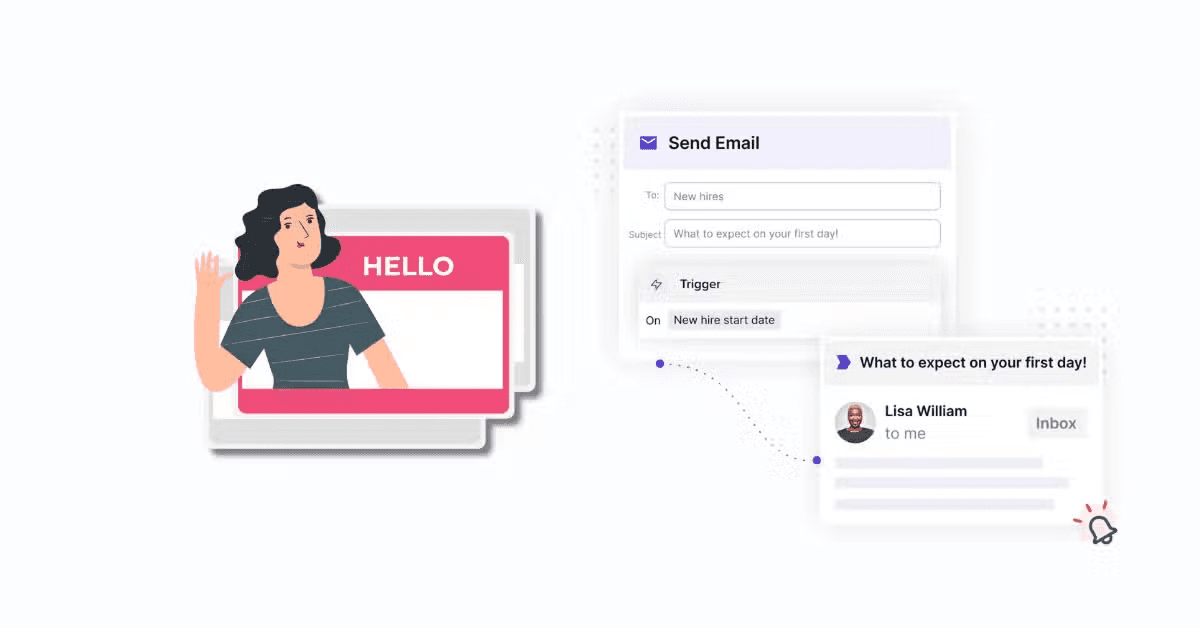
Automate welcome cards and meetings to ensure a smooth onboarding process.
Efficient Search Capabilities
Enhance search with Cleary’s federated search, integrating with your existing data repositories.
Use Go/Links for quick access to frequently used resources and information.
Ensuring a Connected and Collaborative Culture
Foster connections with dynamic org chart views and team showcase features.
Promote public recognition through shoutouts and badges, integrated with Slack and Microsoft Teams.
Robust Security and Privacy Measures
Implement proper authentication, authorization, and data encryption.
Regular security scans and compliance with GDPR and other privacy regulations.
By leveraging these Cleary services, you can transform your intranet into a dynamic, engaging, and secure digital workplace that supports your business goals and enhances employee satisfaction.
For more information on how Cleary can help you optimize your intranet, CLICK HERE.