Employee Onboarding, Onboarding
Thomas Kunjappu
|
Looking for a new employee onboarding email template? This guide offers practical templates to make new hires feel welcomed and informed, boosting employee engagement, ensuring a smooth start, and saving you time.
Key Takeaways
A well-structured onboarding email sets a positive first impression and helps new employees feel welcomed and prepared by providing essential information about the company culture, values, and logistical details for their first day.
Using onboarding email templates saves time for HR professionals and ensures consistent, clear communication with new hires, covering aspects such as welcome messages, first-day information, and introductions to the team and role. This streamlined approach significantly improves the onboarding experience for new employees.
Tailoring onboarding emails to specific work environments (in-person, remote, hybrid) and including personalized touches, such as references to the new hire’s interests and details about the company culture, enhances engagement and fosters a sense of belonging.
Importance of a Well-Structured Onboarding Email
A well-structured onboarding email is more than just a formal introduction; it’s the first step in making new employees feel officially part of the team. This initial communication sets a positive first impression and establishes the foundation for a strong relationship with new hires.
Onboarding emails are instrumental in establishing a positive atmosphere, disseminating crucial information, and making new hires feel welcomed and supported. Proper onboarding helps new employees understand the company culture, values, and mission, leading to higher engagement and job satisfaction. Effective onboarding can also significantly improve employee retention.
Timing is also crucial in the onboarding process. Communicating with new hires at the right time can ease their transition and set a positive tone for their experience. A well-crafted onboarding email not only welcomes the new employee but also ensures they have all the information they need to hit the ground running.
Benefits of Using Onboarding Email Templates
The use of onboarding email templates brings a multitude of benefits. Firstly, it significantly saves time and streamlines the process for HR professionals. Templates ensure that new hires receive consistent and clear information, eliminating any ambiguity or confusion that might arise from ad-hoc communications.
Further, onboarding email templates offer an all-inclusive set of information to new hires, encapsulating everything from start dates to training schedules. An expertly designed new employee welcome email template is a key component in the arsenal of any HR professional, guaranteeing a seamless and efficient onboarding process. Onboarding software can further enhance this process by automating and organizing these communications.
Key Elements of an Effective New Employee Onboarding Email
An effective onboarding email should be comprehensive yet concise, covering all the essential aspects that a new hire needs to know. This includes a warm welcome message, detailed first-day information, and an introduction to the team and role. Each of these elements plays a crucial role in ensuring the new employee feels supported and informed. Additionally, focusing on these aspects can significantly enhance employee satisfaction.
Welcome Message
A warm, personalized welcome message establishes a positive atmosphere for the onboarding journey. Using a warm and welcoming tone helps create a positive first impression and boosts the new hire’s confidence. Congratulating the new employee on their new role in the welcome message can make them feel valued and appreciated.
First Day Information
Offering explicit and comprehensive details about the first day aids in preparing new hires and alleviating anxiety. This includes:
Start date
Office location
Dress code
Parking details
Office layout
Onboarding checklist
Additionally, it’s essential to include the first day’s schedule, such as orientation and initial meetings, to help the new hire know what to expect and be prepared. Scheduling onboarding training sessions and sending out the onboarding schedule about a week before the start date ensures that the new employee is well-prepared and can hit the ground running.
Introduction to Team and Role
Introducing new hires to their team and role nurtures a community feeling and a sense of belonging, enhancing their comfort level in the new work environment. A team introduction email can foster a sense of community and belonging, making the new employee feel more comfortable in their new environment. Including an onboarding plan can further assist new hires in understanding their role and team structure.
The introduction email should include:
Quick bios of team members to help the new hire learn about their colleagues and feel more connected
Details of the new employee’s position and responsibilities
Different Types of Onboarding Emails
Tailoring onboarding emails to various scenarios, such as in-person, remote, or hybrid work environments, enhances the onboarding experience by addressing specific needs and circumstances. Various types of onboarding emails can enrich the onboarding experience by catering to specific needs and situations. An effective onboarding strategy is crucial for ensuring these emails are impactful and relevant.
These tailored emails ensure that new hires receive relevant information based on their work environment, whether they are joining the company in person, remotely, or in a hybrid setup.
In-Person Workplace Welcome Email
An in-person workplace welcome email should include detailed instructions for the first day, such as meeting time and location. It’s essential to assure the new employee that their onboarding schedule will be provided and adjusted if necessary.
Providing clear information about where to go and what to expect helps new hires feel more confident and prepared for their first day in the office. Additionally, including onboarding materials can further support their transition.
Remote Employee Welcome Email
A remote welcome email should provide information about virtual meetings, technology setup, and online resources to help new hires feel supported in a remote work setting. Including details about virtual meeting tools, access credentials, and links to online training materials ensures that remote employees have everything they need to get started. Additionally, outlining the virtual onboarding process can further assist new hires in acclimating to their roles.
It’s also beneficial to mention planned virtual team lunches or send a takeout gift certificate to help remote employees feel included and connected to their team.
Hybrid Employee Welcome Email
A hybrid employee welcome email should combine elements from both in-person and remote onboarding emails, catering to the unique needs of hybrid work environments. Clarifying the schedule for in-office and remote workdays, along with specific protocols for each setting, helps hybrid employees navigate their new roles more effectively. Including details about the onboarding program can further support their integration into the company.
Ensuring that hybrid employees receive relevant information for both setups can create a seamless transition between in-office and remote workdays.
Crafting Personalized Onboarding Emails
Tailoring onboarding emails by incorporating the new hire’s name and adding personal nuances can craft a more engaging and welcoming onboarding experience. Personalization shows new hires that you care about their individual experience and can significantly enhance their engagement from the outset.
Adding Personal Touches
Incorporating personal nuances into the onboarding process, like referencing specific interests or hobbies of the new hire, can enhance the appeal of onboarding emails. This personalization helps build a connection with the new employee and shows that the company is attentive to their interests, which can enhance job satisfaction and engagement from the outset.
For example, if a new hire mentioned they enjoy hiking during the interview process, you could include a sentence like, “We have some great hiking trails around the office that we’re excited to show you!”.
Including Company Culture Highlights
Showcasing company culture through onboarding emails helps new employees better understand the organization’s values and mission, enhancing their onboarding experience. Including a welcome video introducing the organization and key employees can effectively highlight company culture in the onboarding email.
Additionally, emails showcasing customer love stories and testimonials are invaluable for demonstrating company culture. These elements help new hires feel more connected to the company’s mission and values from the very beginning.
When to Send Your Onboarding Emails
Timing is paramount in the onboarding process. Sending onboarding emails at the right time can help ease the transition for new hires and ensure they feel supported throughout the process. The first onboarding email should be sent immediately after the new employee accepts the job offer. An effective onboarding timeline ensures that all necessary information is delivered in a timely manner.
Pre-Start Date Emails
Pre-start date emails should be sent shortly after the job acceptance to adequately prepare the new hire for the onboarding process. These emails should include information about what the new hire needs to bring or prepare for the first day.
Additionally, attaching any important documents or providing links to resources the new employee needs before their start date can help them feel more prepared and confident.
Follow-Up Emails
Follow-up emails after the first day can help address any initial concerns and ensure the new hire feels supported. End-of-week follow-up emails are useful for getting feedback on the new hire’s initial experiences and making necessary adjustments. Including onboarding feedback in these emails can further enhance the process.
These emails can also provide additional resources, such as the employee handbook, or training materials to help the new hire settle in.
Sample of a New Employee Onboarding Email Templates
Employing a variety of onboarding email templates can simplify the onboarding process and guarantee regular communication. These templates include:
Job acceptance confirmation
Pre-onboarding information
First-day welcome
Team introduction
Mentor/buddy introduction emails
Onboarding communication is crucial to making new hires feel welcomed and informed.
Job Acceptance Confirmation Email
The job acceptance confirmation email is the first official communication after a job offer is accepted. This email should include the following information:
A warm welcome to the new employee
The start date
Any required paperwork or documents that need to be completed
An overview of the onboarding process
The subject line of the email should typically include a phrase like, “Welcome to [Company Name]!” to set a positive tone from the outset.
This email sets the stage for the entire onboarding process, including onboarding training sessions, by outlining what the new hire can expect and ensuring they feel appreciated and informed right from the start.
Pre-Onboarding Information Email
A pre-onboarding information email is sent closer to the new hire’s start date to provide all the logistical details needed for a smooth transition. This email should include information such as:
Start date
Time
Location
Necessary paperwork
A brief introduction to the company’s history, vision, and values.
By providing detailed logistics such as parking specifics and dress code, this email helps alleviate first-day nerves and prepares the new hire for a positive start. Additionally, it can include onboarding materials to further assist the new hire.
First-Day Welcome Email
The new employee welcome email is designed to help new employees have a smooth onboarding process by providing them with important information about procedures and necessary paperwork. This ensures that they are well-prepared for their first day. This email should include details about upcoming training sessions, including dates, timings, venues, and topics, to streamline the new hire’s training journey.
Sharing onboarding forms and paperwork in the welcome email helps alleviate anxiety and makes things easier for new hires. Including instructions on how to fill out the forms and where to send them is crucial for ensuring that the process runs smoothly and efficiently. This ensures that everyone involved understands the proper procedures for completing and submitting the necessary documentation.
Team Introduction Email
The team introduction email helps create a sense of community and enhances the onboarding experience by introducing the new hire to their team members. This email should include the following information about the new employee:
Name
Position
Work experience
Hobbies and interests
Arrival date
This will help the team get to know them better.
Tailoring onboarding emails to include the new hire’s name and specific details can grab their attention more effectively and make them feel more connected to the company.
Mentor/Buddy Introduction Email
Connecting new employees with a mentor or buddy can provide valuable support and guidance during the onboarding process and the initial weeks and months of employment. The mentor/buddy introduction email should include the following information about the mentor or buddy:
Name
Job title
Years with the company
Interests
This email fosters a sense of connection and provides the new hire with a vital contact for advice and support from their hiring manager. Including a picture of the new hire’s contact person can add a personal touch and make the communication more engaging.
Enhancing Onboarding Communication with Technology
Harnessing technology can notably augment onboarding communication by refining processes and boosting efficiency. Digital onboarding centralizes information, ensuring consistent delivery regardless of location or department. Automated onboarding processes can reduce time and effort, allowing HR personnel to focus on strategic initiatives. Onboarding tools can further streamline these processes, enhancing the overall experience.
Interactive and multimedia content in digital onboarding improves engagement more effectively than traditional methods, making the process more engaging for new hires.
Using Email Automation Tools
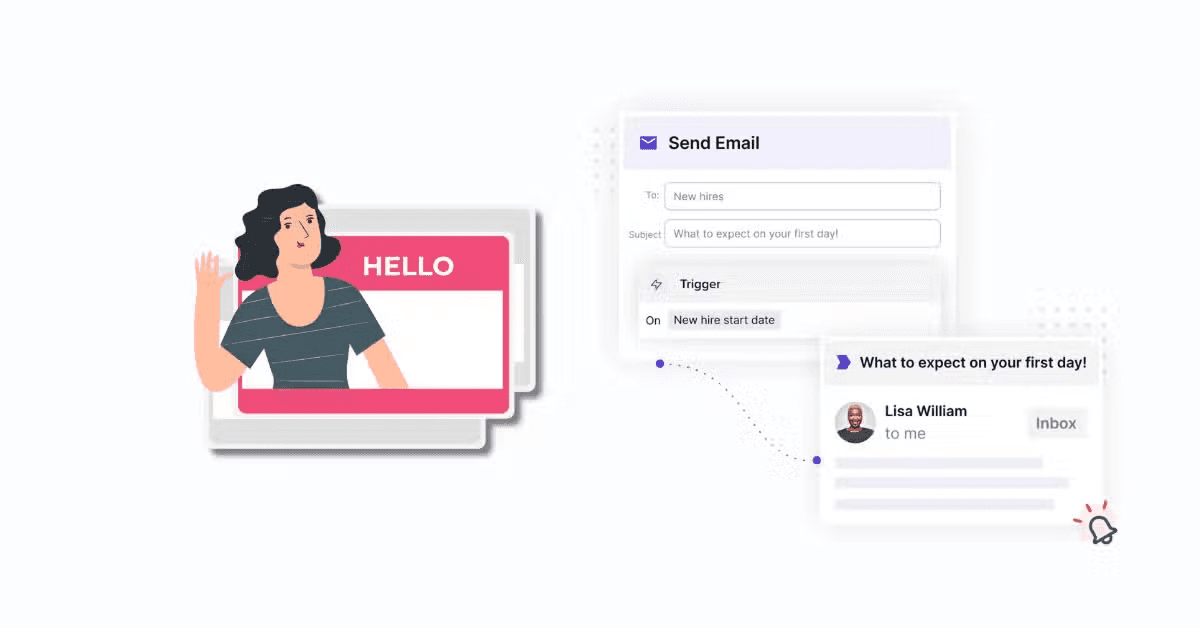
Using email automation tools can help create and schedule personalized onboarding emails efficiently. Automated drip email campaigns can trigger emails based on specific conditions, ensuring consistent and timely communication. Onboarding software can further streamline this process by integrating various tools and features.
These tools also track and measure onboarding performance, identifying areas for improvement and ensuring onboarding goals are met. Digital onboarding automates administrative tasks, freeing HR personnel to focus on more strategic aspects of the onboarding process.
Gathering Feedback via Surveys
Gathering feedback from new hires is vital for the continuous enhancement of the onboarding process. Automated survey tools can efficiently gather feedback, allowing for quick analysis and adjustments. Gathering feedback demonstrates that the company values honesty and transparency and is committed to creating a positive work environment. Onboarding feedback is crucial as it helps identify areas of improvement early in the process.
Feedback from new hires can provide valuable insights into their onboarding experience, helping to refine and enhance the process for future employees.
Best Practices for Writing Onboarding Emails
Adopting best practices for crafting onboarding emails can foster a more engaging and supportive onboarding journey for new hires. Personalizing emails, maintaining a positive tone, and providing clear next steps are key to effective communication. Effective onboarding communication is essential to make new hires feel welcomed and informed.
Previewing onboarding emails to ensure they appear correctly on both desktop and mobile devices is also crucial for a seamless onboarding experience.
Keeping a Positive Tone
The onboarding experience can be greatly enhanced by preserving a positive tone in onboarding emails, and fostering a welcoming environment for new hires. Avoid overly formal language and prioritize a conversational tone to make the new hire feel more comfortable and valued.
Using ‘You’ over ‘I’ or ‘We’ can make the communication more engaging and personal. Adding a personal touch, such as mentioning specific actions the new hire has taken, can significantly increase engagement.
Clear and Concise Information
Making certain that all information in onboarding emails is lucid and succinct is vital to avoid confusion during the onboarding process. Avoid long, dense text and break down information into digestible chunks with the help of visuals.
Providing straightforward instructions and information helps new hires understand what is expected of them and reduces the likelihood of misunderstandings.
Providing Contact Information
Incorporating contact details for HR, the new hire’s supervisor, or a colleague who can help with queries is crucial in onboarding emails. Mention that the new employee can reach out anytime for support or clarifications, ensuring they feel supported throughout the onboarding process.
Enhancing Your Onboarding Process with Cleary
While crafting the perfect onboarding email is crucial, automating and streamlining the entire onboarding process can take your efforts to the next level. Cleary offers a comprehensive onboarding solution designed to create a world-class experience for new hires. With Cleary, you can automate personalized welcome emails, schedule introduction meetings with colleagues, and assign tasks to ensure no detail is overlooked. This not only saves time for HR teams but also ensures a consistent and engaging experience for every new hire.
Cleary’s onboarding tools are especially valuable in today’s hybrid and remote work environments, where seamless integration and connection are vital for new employees. From preboarding to the end of the first month, Cleary’s platform helps new hires feel connected to your company culture and equipped with the resources they need to succeed.
Summary
A well-structured onboarding email is a vital tool for ensuring a smooth and positive transition for new hires. By incorporating personalized touches, detailed first-day information, and clear introductions to the team and role, you can create an engaging and supportive onboarding experience. Utilizing technology and following best practices for writing onboarding emails can further enhance this process.
To create a seamless onboarding experience, it is essential to send timely emails that provide all the necessary information and support. By implementing the strategies and templates discussed in this blog post, you can streamline your onboarding process and set your new hires up for success. Embrace these practices to foster a welcoming and productive environment for your newest team members.
Frequently Asked Questions
Why is a well-structured onboarding email important?
A well-structured onboarding email is important because it enhances the onboarding experience, sets a positive first impression, helps new hires feel welcomed and supported, and provides essential information for a smooth transition into their new role.
What are the benefits of using onboarding email templates?
Using onboarding email templates saves time, ensures consistency, and provides comprehensive information to new hires, making the onboarding process more efficient. These benefits ultimately improve the overall onboarding experience for new employees.
What should be included in a first-day welcome email?
You should include essential procedures, required paperwork, details about upcoming training sessions, and instructions on filling out and returning necessary documents in a first-day welcome email. These will help new employees get started smoothly. Additionally, make sure to provide comprehensive onboarding materials to ensure they have all the information they need.
How can technology enhance onboarding communication?
Using technology like email automation tools and feedback surveys can streamline the onboarding process, improve efficiency, and provide valuable insights to enhance the onboarding experience. This helps create a seamless and effective onboarding communication process. Onboarding tools can further support these efforts by offering specialized features designed to optimize the onboarding journey.
When should onboarding emails be sent?
Onboarding emails should be sent at key stages, such as immediately after job acceptance, a few days before the start date, and follow-up emails after the first day to ensure the new hire feels supported and informed. It’s important to establish a clear onboarding timeline to manage these communications effectively.